
Quick Answer: A Google Business Profile is a free listing that controls how your business appears on Google Search and Google Maps. Setting it up correctly takes under 30 minutes and is one of the highest-ROI actions any local business can take in 2026.
If your business does not have a Google Business Profile in 2026, you are essentially invisible to local customers. In 2026, Google uses business data in Search, Maps, and AI-generated local answers, which means accuracy, completeness, and regular updates now affect not just visibility, but how confidently Google recommends your business to potential customers.
This step-by-step Google My Business setup guide walks you through creating, verifying, and optimizing your profile the right way from day one.
What Is a Google Business Profile?
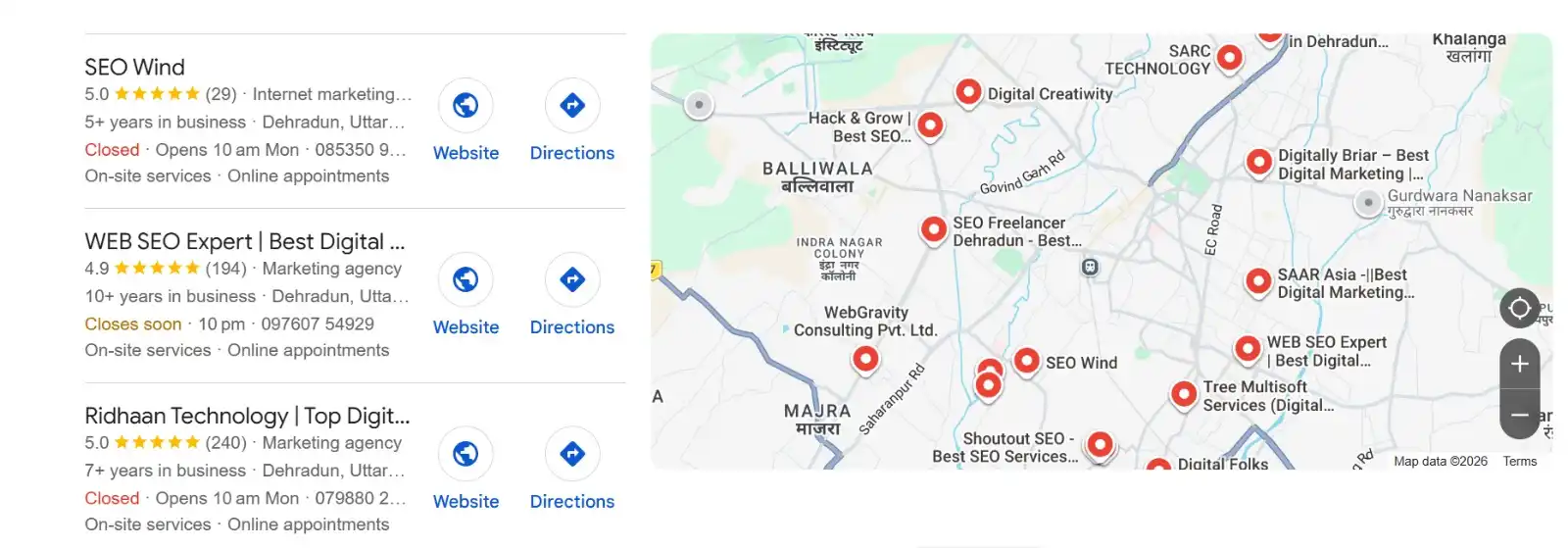
A Google Business Profile is a free online listing that helps your business show up across Google Search and Maps. It displays your business name, hours, location, website, phone number, photos, reviews, and services, all in a prominent panel that appears when people search for your business or the services you offer.
In 2026, a Google Business Profile is not just a listing. It is your digital storefront inside Google’s entire ecosystem. In many cases, it is why customers never need to visit your website at all. They can call you, get directions, check your hours, read reviews, and book an appointment directly from your profile.
According to recent local SEO research, businesses with fully optimized Google Business Profiles receive up to 70% more location visits and 50% more website clicks than businesses with incomplete profiles. With Google AI Overviews now appearing for a growing share of local search queries, your google business profile has become a direct source for AI-generated local answers.
Step 1: Go to Google Business Profile Manager
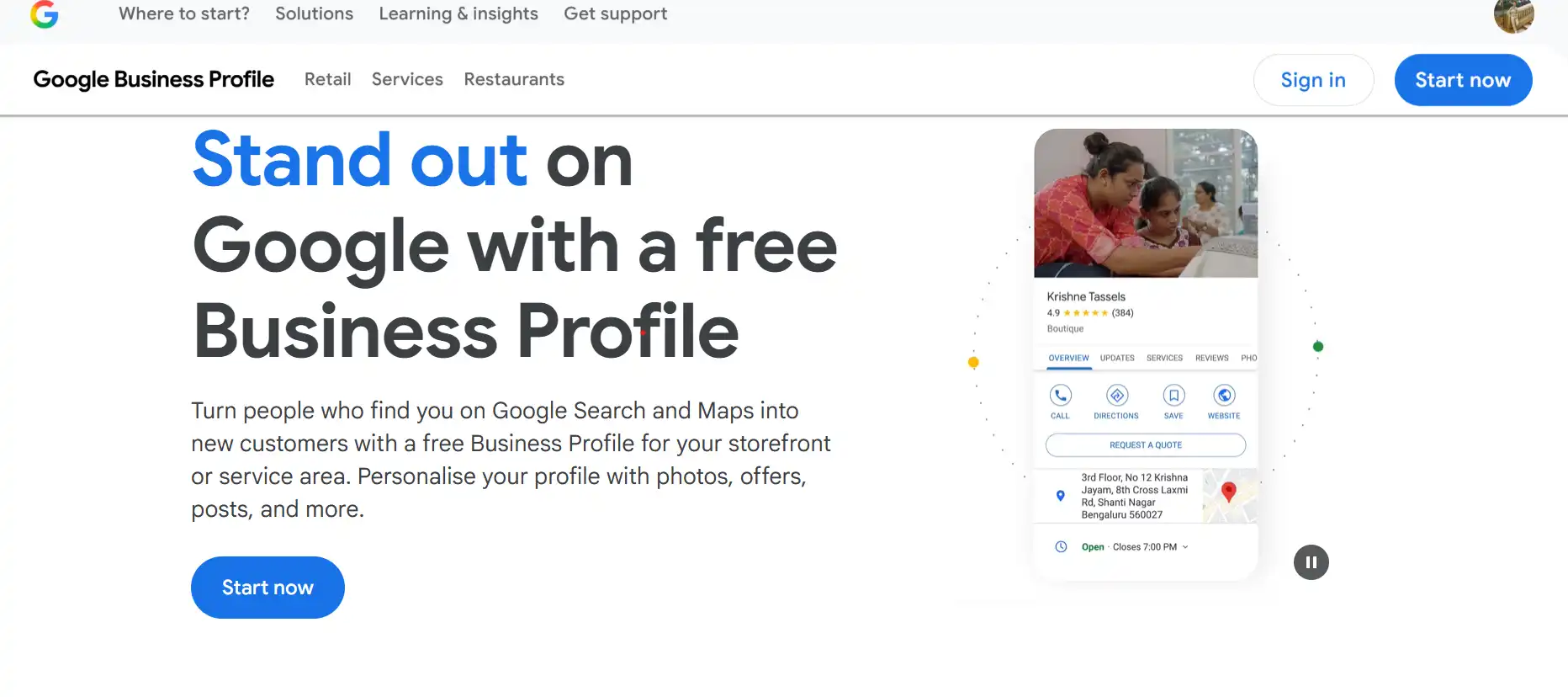
Visit business.google.com and click Manage Now. Sign in with your business Google account. Always use a professional business email for this setup, never a personal Gmail account.
The business owner must always be the Primary Owner of the Google Business Profile. Agencies, consultants, or employees should only be added as Managers. If an agency claims primary ownership and you later part ways, you may lose access to your reviews, photos, and years of ranking history.
Step 2: Enter Your Business Name
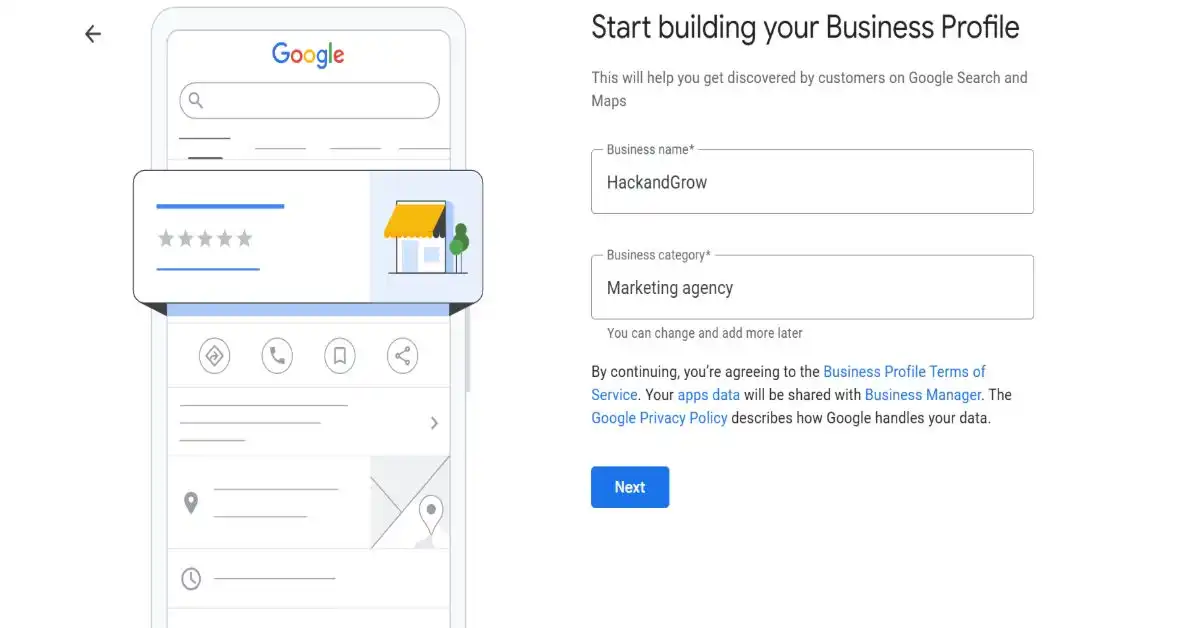
Type your exact business name. Keep it consistent with your website and all other online directories. Do not add keywords or city names to your business name. This violates Google’s guidelines and can get your Google Business Profile suspended.
If Google shows an existing listing that matches your name, check whether it is yours and claim it rather than creating a duplicate listing.
Step 3: Choose the Right Business Category
This is the most important decision in the entire Google My Business setup process. Your primary category directly affects which local searches your profile appears in. Google offers over 4,000 business categories in 2026, and its AI-powered category suggestions have become significantly more accurate.
Choose the most specific category that applies to your business. “Search engine optimization service” is better than “Marketing agency.” “Pediatric Dentist” is better than “Dentist.” You can add secondary categories after verification, and you should. Secondary categories expand the range of local searches your profile can rank for.
Step 4: Add Your Location and Service Area
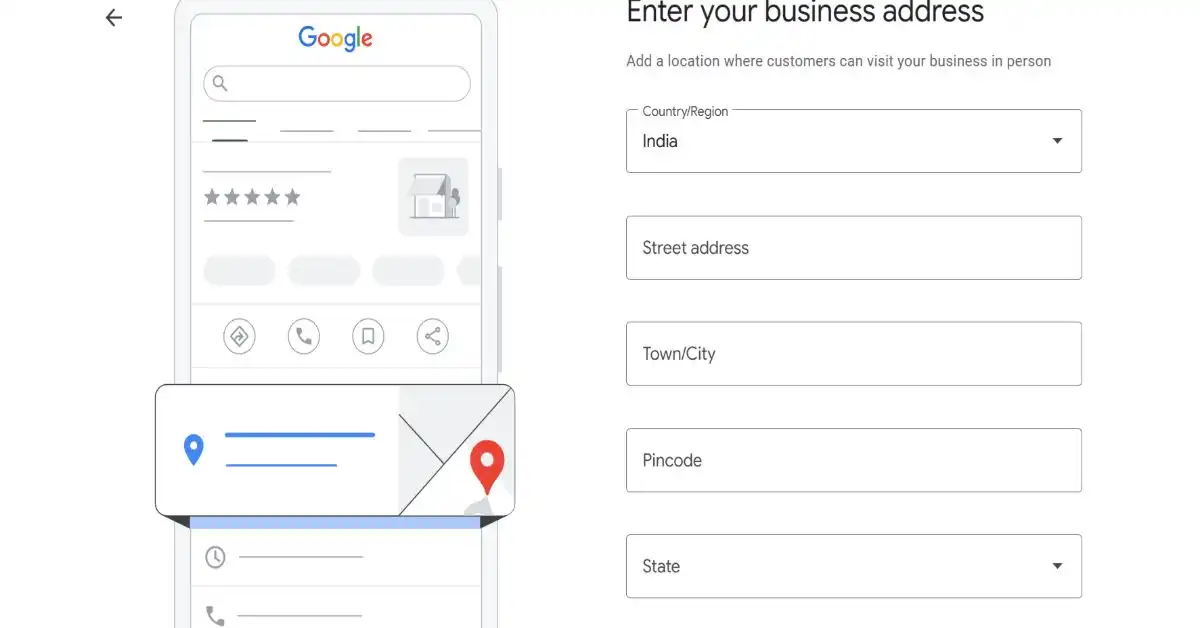
If you have a physical storefront where customers visit, enter your full address. If you serve customers at their location like a plumber, delivery service, or digital agency, select the service area option instead and define your coverage radius.
A very common google business profile mistake is using a virtual office address. Google actively identifies and penalizes virtual offices and PO boxes. If detected, your profile will be suspended. Always use a real business address or choose the service area option honestly.
Step 5: Add Phone Number and Website
Add your primary business phone number and your website URL. For the website field, use your most relevant service page rather than the homepage. This sends a stronger local relevance signal to Google and directly supports your google business profile optimization efforts.
Step 6: Verify Your Google Business Profile
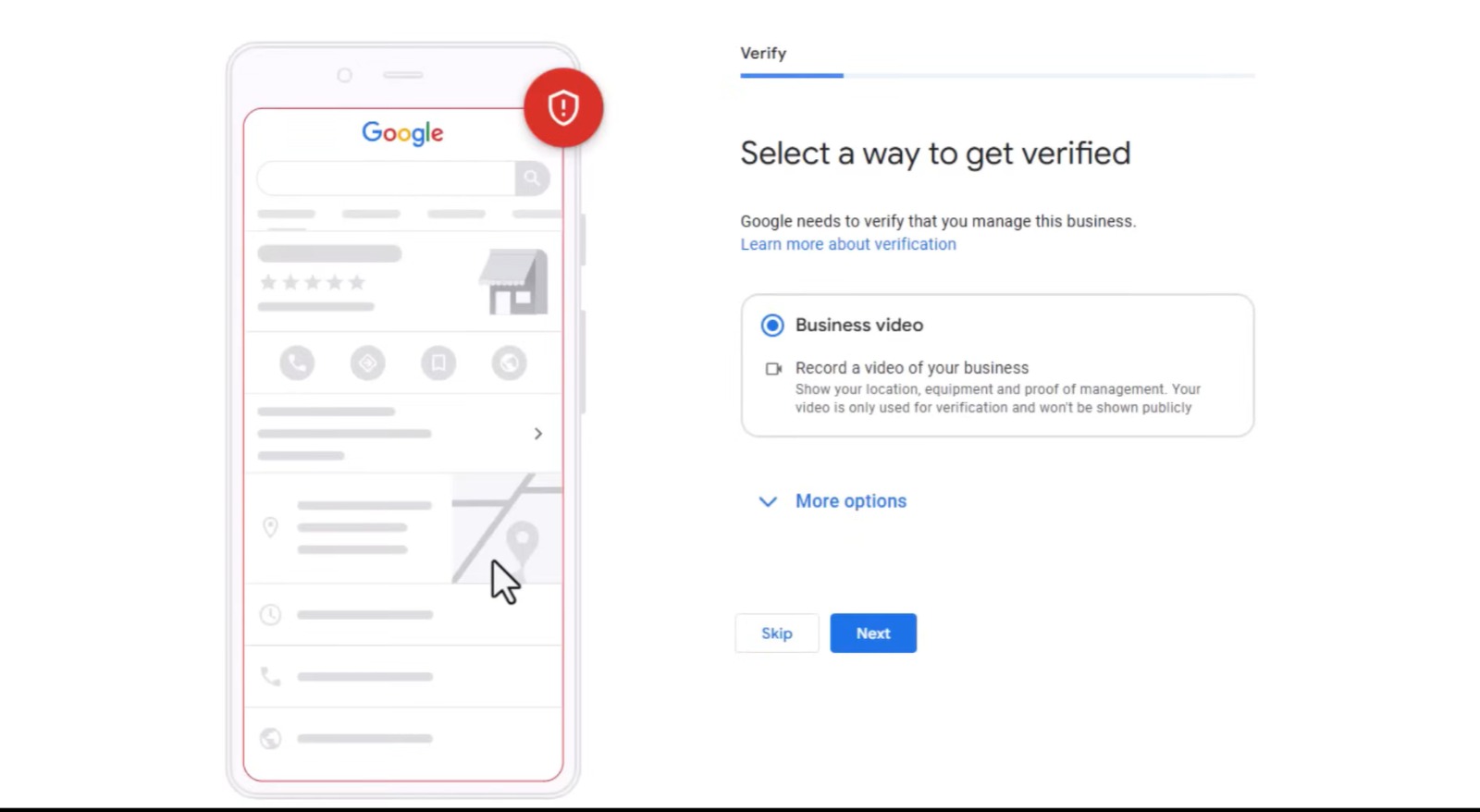
Verification is essential before your Google Business Profile goes live. Google offers several verification methods, including email, phone, video recording, and in some cases, a postcard by mail. The postcard method typically takes 5 to 7 days. Phone and email verification are faster when available.
Do not skip verification. An unverified google business profile cannot rank in Google Maps or local search results, regardless of how well optimized it is.
Step 7: Complete Every Section of Your Profile
Once verified, fill out every section completely. Google treats profile completeness as a direct local ranking signal. Incomplete profiles consistently underperform against fully completed ones in local pack rankings.
Business Description
Write a keyword-rich description with your primary service in the first sentence. Keep it under 750 characters. Include your city name, core services, and a clear value proposition. This is a critical google business profile optimization element that most businesses get wrong.
Business Hours
Add accurate opening and closing times for every operating day. Update them immediately for public holidays and special occasions. Inaccurate hours are one of the most common causes of negative reviews and lost customers.
Photos and Videos
Add a minimum of 15 photos covering your office, team, workspace, and services. In 2026, Google’s Vision AI scans the content of your photos to understand your business category and expertise level. High-quality, relevant photos are now a local ranking signal, not just a cosmetic addition.
Services Section
List every service you offer with individual names and descriptions. When someone searches for a specific service like “local SEO in Dehradun” or “free website audit near me,” Google pulls directly from the Services section of relevant Google Business Profiles to match the query. This is one of the most underused opportunities for optimizing Google Business profiles.
Products Section
Add your main offerings as products with descriptions, photos, and pricing where applicable. Google surfaces product listings directly in search results for relevant commercial queries.
Attributes
Add all relevant business attributes like online appointments available, on-site services, WhatsApp contact, and payment methods accepted. Attributes improve both user experience and local search relevance.
Step 8: Post Regularly to Stay Visible
Google Posts let you publish updates directly to your Google Business Profile, visible in both Search and Maps results. Post types include What’s New updates, Offers, Events, and Products.
In 2026, businesses with recent keyword-relevant posts are significantly more likely to be cited inside Google AI Overviews for relevant local queries. This makes Google Business Profile posts a direct generative engine optimization (GEO) signal.
Aim for a minimum of two posts per week. Recent data confirms that businesses that had not posted an update or photo in over 30 days experienced significant drops in GBP impressions. Treat your Google Business Profile as an active content channel, not a one-time setup task.
Step 9: Build Reviews and Respond to Everyone
Reviews are one of the strongest local ranking factors in Google Business Profile optimization. A 4.5-star average or higher, combined with at least 20 recent reviews and active engagement, is sufficient for strong local rankings in most markets.
Interestingly, a perfect 5.0 rating with zero negative feedback is often flagged as suspicious by Google’s AI filters. A natural distribution of ratings is healthier for long-term visibility.
Respond to every review within 24 hours. Google’s AI now summarizes reviews for users inside search results, so directly addressing specific complaints signals to the algorithm that your business is actively improving customer experience.
Google Business Profile Optimization Tips for 2026
Beyond the basic Google My Business setup, these optimization actions separate profiles that rank from profiles that sit invisible.
- Keep NAP (Name, Address, Phone) identical across your website, GBP, and all online directories
- Add your Q and A section with pre-answered common questions using local keywords naturally
- Enable WhatsApp as your primary chat contact for faster customer response
- Use Google’s built-in Insights to monitor how customers find your profile and which photos get the most views
- Add your Google Business Profile URL to your website, email signature, and social media bios to build consistent citation signals
- Link your Google Business Profile website URL to your most relevant service page, not your homepage
Common Google Business Profile Mistakes to Avoid
After reviewing hundreds of local business profiles, the same mistakes appear repeatedly. Avoid these to protect your local rankings.
The first mistake is an incomplete profile. A Google Business Profile without photos, services, or a description is like a shop with no sign. The second mistake is choosing a category that is too broad. Choosing “Retail” instead of “Electronics Retailer” means missing thousands of specific high-intent queries. The third mistake is ignoring or responding defensively to negative reviews. Both actively damage local rankings. The fourth mistake is inconsistent NAP data across your website and directories. Google cross-references your profile with your website and third-party listings, and inconsistencies reduce trust scores.
The Bottom Line
Setting up a Google Business Profile correctly in 2026 is one of the highest-impact, zero-cost investments any local business can make. The initial Google My Business setup takes under 30 minutes. The optimization is ongoing. And the results, more calls, more direction requests, and more walk-in customers, compound over time as your profile builds authority and review volume.
If you want expert help with google business profile optimization alongside a full local SEO strategy, the team at Hack and Grow handles complete GBP setup and local SEO for businesses across Dehradun and India.