For over a year, one question had no answer. Are your pages even showing up inside AI Overviews and AI Mode? You couldn’t tell. Those impressions sat buried in the normal Performance report, mixed with regular blue links.
That changed on June 3, 2026. Google started rolling out a dedicated Google Search Console AI performance report that shows how often your pages appear inside its generative AI features. And alongside it, a new toggle that lets you block your content from those features entirely. Both are starting small, with a subset of site owners in the UK first.
So here’s what this post covers. What the new report actually shows, what’s missing from it, how the blocking toggle works, why the UK got it first, and whether you should ever switch it on. Let’s start with the report.
What Is the Google Search Console AI Performance Report?
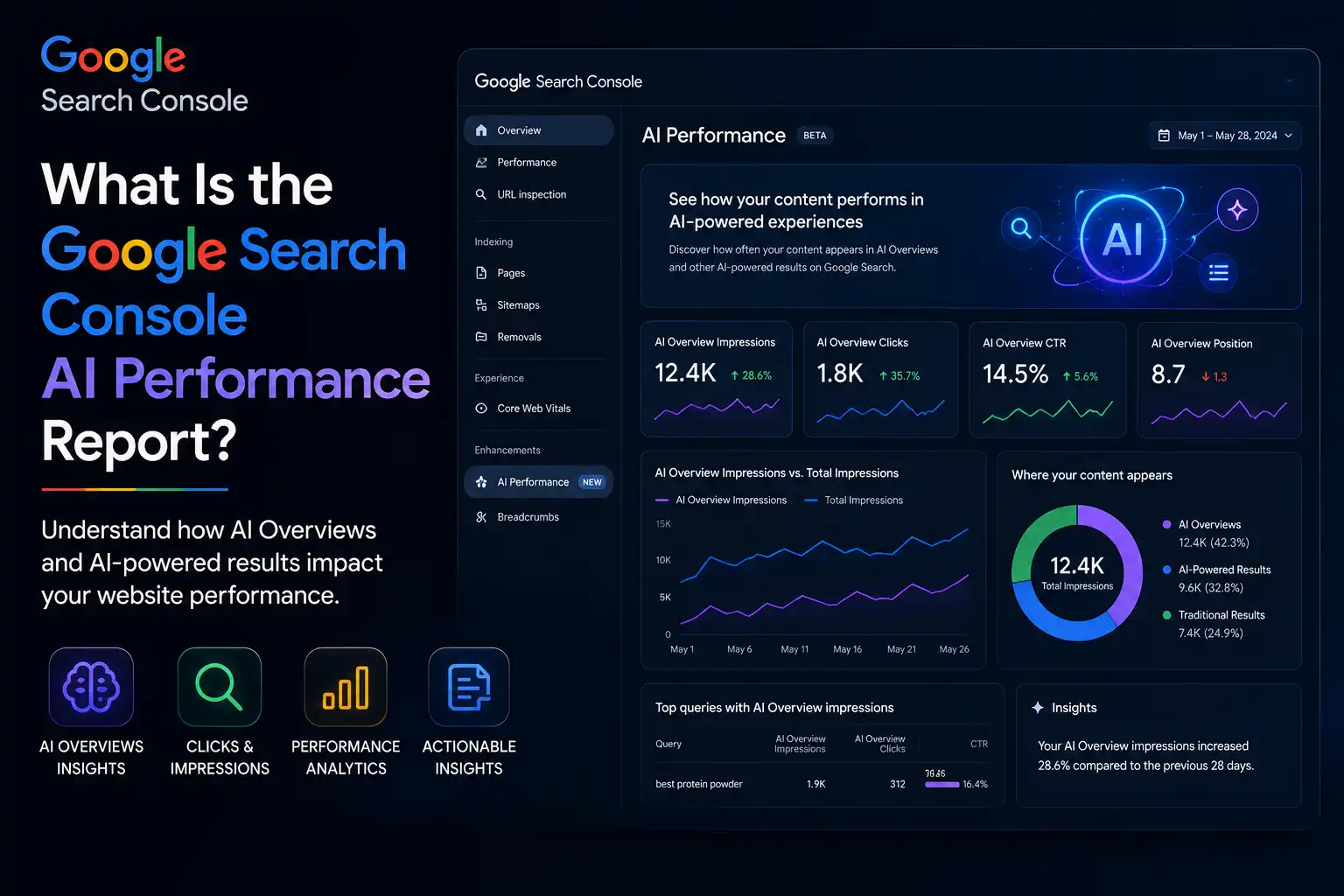
The Google Search Console AI performance report is a separate view inside Search Console that shows how often your pages appear in Google’s generative AI features, mainly AI Overviews and AI Mode. It breaks that data down by page, country, device, and date. There’s a Search version and a Discover version.
Before this, those AI appearances were folded into the standard “Web” search type. You had no way to pull them out. Now they sit in their own report, so you can finally see which URLs Google’s AI is actually pulling into answers, and where in the world that’s happening.
One small thing worth knowing. According to Search Engine Roundtable’s coverage, the data only starts from May 18, 2026 and moves forward. So don’t expect months of history on day one.
What the report tracks
- Impressions: how often your URLs showed up inside Google’s AI features in Search and Discover.
- Pages: the exact URLs that appeared inside AI responses.
- Countries: your AI visibility split by country.
- Devices: the device people used when they saw your site, available for Search results.
- Dates: performance over time, with hourly, daily, weekly, and monthly views.
That’s a real upgrade for anyone tracking AI search visibility. But it comes with one big gap, which is worth looking at next.
What Data Is Missing From the AI Report?
The biggest missing piece is clicks. The Google Search Console AI performance report shows impressions only. No clicks, no click-through rate, no average position, and no query data. So you can see that a page appeared in an AI answer, but not whether anyone tapped through to your site from it.
Nobody in SEO is shocked by this. Google has stayed quiet on AI click data since AI Overviews launched. When asked directly, a Google spokesperson said the company is still working with site owners to figure out which metrics help most, and that more will come over time.
Will clicks ever arrive? Hard to say. Google left the door open by promising “additional metrics over time,” but made no commitment on clicks specifically.
What you get vs what you don’t
- You get: impressions, pages, countries, devices, and date ranges.
- You don’t get: clicks, click-through rate, average position, or query-level data.
- Split available: a Search report and a separate Discover report.
- Reality check: impressions tell you about reach, not traffic, so pair this with your normal analytics for the full picture.
So the report answers “am I visible in AI search?” much better than “is AI search sending me visitors?” Keep that limit in mind. Now to the part that’s getting most of the attention.
What Are Google’s New AI Blocking Controls?
Google’s new AI blocking control is a toggle inside Search Console that lets you stop your content from showing in AI search features. That covers AI Overviews, AI Mode, and AI Overviews inside Discover. In Google’s words, site owners can decide if they want their site to appear in and help ground responses in its generative AI features.
Here’s the important part for your rankings. Google says this control won’t be used as a ranking signal for normal web search. So flipping it shouldn’t hurt how your pages rank in the regular ten blue links. The trade-off sits elsewhere.
If you opt out, Google says you get no traffic and no impressions from its AI features. You vanish from those surfaces. For the UK test group, the setting won’t actually take effect until June 17, 2026, which gives them a window to test it without any real impact first.
How the toggle works in practice
- What it blocks: your content appearing inside AI Overviews, AI Mode, and Discover AI Overviews.
- What it costs: zero impressions and zero referral traffic from those AI surfaces.
- What it protects: your standard web search rankings, which Google says stay untouched.
- When it bites: for the UK subset, the opt-out is honoured starting June 17, 2026, after a testing window.
- Who has it now: only a small subset of UK site owners, with no public date for a wider rollout.
This raises an obvious confusion that trips up a lot of people. Isn’t this the same as Google-Extended? Not quite, and the difference matters.
Is the AI Opt-Out Toggle the Same as Google-Extended?
No. The new AI opt-out toggle and Google-Extended do two different things. Google-Extended controls whether Google uses your content to train its AI models. The new Search Console toggle controls whether your content shows up inside live AI answers like AI Overviews and AI Mode.
So one is about model training. The other is about real-time visibility in AI responses. You could allow training but block live answers, or the other way round. They’re separate switches for separate decisions.
Why does this matter? Because a lot of site owners flipped Google-Extended thinking it stopped them appearing in AI Overviews. It didn’t. This new toggle is the one built for that job, which is exactly why publishers had been asking for it.
Quick way to tell them apart
- Google-Extended: stops Google training its AI models on your content.
- New Search Console toggle: stops your content appearing in and grounding live AI answers.
- Overlap: none in function, even though both touch “AI.”
- Common mistake: assuming one does the job of the other, then wondering why you still show up in AI Overviews.
Get this distinction right before you touch any control. With that sorted, the next question is why the UK got first access.
Why Is Google Rolling This Out in the UK First?
Google is testing these features in the UK first because of regulation, not preference. The UK’s Competition and Markets Authority pushed Google to give publishers real control over how their content gets used in AI. The CMA said its requirements under the digital markets competition regime give publishers more control and stronger bargaining power.
The CMA went further than just live answers. It said Google will also have to let publishers opt out of having their content used for the “fine-tuning” of AI models. That gives publishers control across the full range of AI use cases for their content, not just one slice of it.
This direction wasn’t sudden either. Back on March 18, 2026, Google published a blog post responding to the CMA’s consultation, saying it was building updates to let sites opt out of generative AI features in Search. So June’s rollout is that promise starting to land.
What the UK-first rollout means for everyone else
- Trigger: UK regulatory pressure from the CMA, under the digital markets competition regime.
- Scope of control: opt-out covers live AI features and content used for fine-tuning AI models.
- Timeline: UK subset now, with a global expansion promised but no date attached.
- For the rest of the world: the features are coming, so it’s worth understanding them before they reach your account.
Regulation set the pace here, which is why this story is as much about policy as it is about SEO. Now to the decision most site owners actually care about.
Should You Block Your Content From AI Search?
For most sites, no, blocking your content from AI search isn’t the smart move. Opting out means giving up real exposure. Reported figures put AI Overviews at over 2.5 billion monthly users and AI Mode past 1 billion. That’s a huge audience to walk away from, and Google says the opt-out won’t even improve your normal rankings as a trade.
That said, the urge to block is real. Barry Schwartz of Search Engine Roundtable ran a quick poll, and about 33% of SEOs said they’d block Google from using their content in AI features. He also doubted many would actually follow through. The instinct is “AI is eating my clicks, so I’ll leave.” The math rarely supports it.
A few publishers do have a genuine case for opting out. News sites worried about content reuse, paywalled businesses, or brands under specific legal pressure might choose control over reach. But for anyone trying to grow visibility, staying in usually wins.
Questions to answer before you opt out
- Where’s your audience? If they use AI search heavily, leaving means losing the surface they live on.
- What do you lose? Every impression and click those AI features could send you, gone.
- What do you protect? Mostly nothing extra, since Google says core rankings stay the same either way.
- Is the threat real or felt? Many “AI is stealing clicks” fears aren’t backed by your own data yet, so check before reacting.
- Can you reverse it? Treat it as a deliberate choice, not a panic switch.
Decide your AI stance on purpose, before the toggle ever reaches your account. Then you won’t be making the call in a rush. There’s also a useful comparison point next door.
How Does This Compare to Bing’s AI Report?
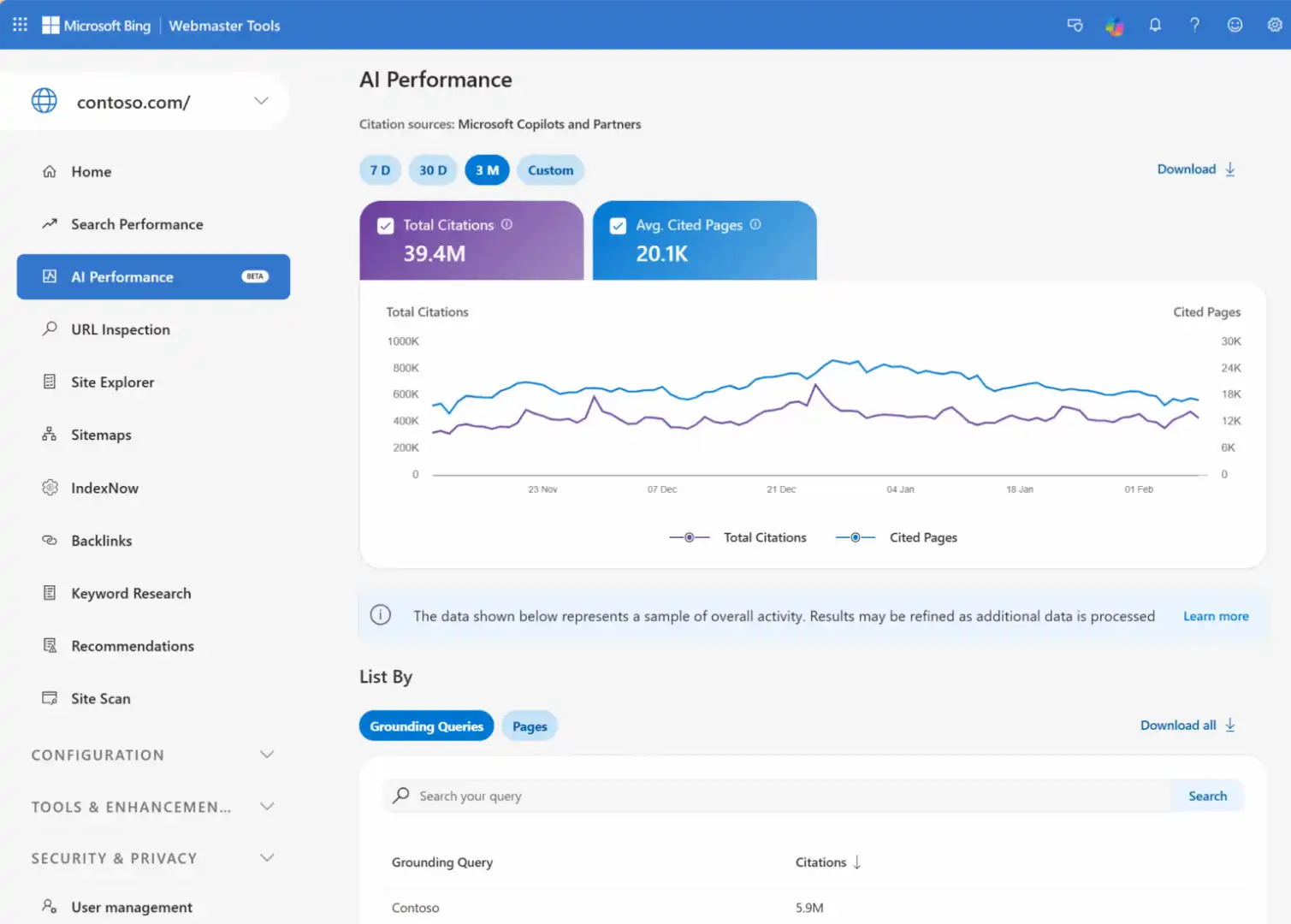
Bing got there first, but with a narrower reach. Microsoft launched AI Performance inside Bing Webmaster Tools as a beta on February 10, 2026, ahead of Google’s June rollout. So site owners had a taste of AI search reporting from Bing before Google moved.
The shared limit across both? Neither shows click data. Bing’s report and Google’s report both stop at impressions and visibility metrics. If you were hoping one of them would reveal AI click-through, you’re out of luck on both for now.
There’s one edge Bing holds today. Bing’s AI performance report is available globally, while Google’s is still limited to a subset of UK site owners. So depending on where you operate, Bing might be your only working window into AI search data at the moment.
Google vs Bing AI reporting, side by side
| Feature | Google Search Console | Bing Webmaster Tools |
|---|---|---|
| Launch | June 3, 2026 (rollout) | February 10, 2026 (beta) |
| Reach | Subset of UK site owners | Global |
| Click data | No | No |
| Metrics | Impressions, pages, countries, devices, dates | Impressions and AI visibility |
| Opt-out toggle | Yes (UK subset) | Not the same control |
The takeaway is simple. AI search reporting is quietly becoming standard across engines. Which means the smart play is getting ready now, not waiting for the global switch.
What Should Site Owners Do Right Now?
Right now, the best move is to prepare, not panic. Most sites can’t access the Google Search Console AI performance report or the blocking toggle yet. But you can get your house in order so you’re ready the moment it lands, and so you don’t lose AI visibility by accident in the meantime.
Start by checking that AI crawlers can actually reach your pages. A blocked crawler or a stray robots.txt rule can quietly keep you out of AI answers while everyone else debates whether to opt out on purpose. Then decide your stance early, so the toggle is a planned choice and not a reaction.
And keep watching both engines. Bing’s report is live and global, so use it today for a read on AI visibility while Google’s catches up. The habits you build now carry over once Google’s report reaches your account.
Your action checklist
- Audit crawler access: confirm AI crawlers and Googlebot can reach your content, with no accidental blocks in robots.txt.
- Decide your AI stance: plan whether you’d ever opt out, and document why, before the toggle arrives.
- Use Bing’s report now: it’s global and live, so it gives you an early read on AI search visibility.
- Watch for the UK rollout: track when Google expands access beyond the UK subset.
- Don’t rely on AI alone: keep building visibility across ChatGPT, Perplexity, and other AI engines, since Google’s report only covers Google’s surfaces.
Do these and you’re not caught off guard. You’ll be one of the few site owners who treated AI search reporting as a strategy instead of a surprise.
Frequently Asked Questions
What is the Google Search Console AI performance report? It’s a dedicated report inside Search Console, launched June 3, 2026, that shows how often your pages appear in Google’s generative AI features like AI Overviews and AI Mode. It breaks data down by page, country, device, and date, with separate Search and Discover versions.
Does the AI performance report show clicks? No. The report shows impressions only. There are no clicks, no click-through rate, no average position, and no query data. Google has said it may add more metrics over time but hasn’t committed to clicks specifically.
Can I block my site from appearing in Google’s AI features? Yes, through a new toggle in Search Console, but only a subset of UK site owners have it for now. It blocks your content from AI Overviews, AI Mode, and Discover AI Overviews. Opting out means no impressions or traffic from those features.
Will blocking AI features hurt my normal Google rankings? No. Google says the opt-out control won’t be used as a ranking signal for normal web search results. Your standard rankings should stay the same. The trade-off is losing all visibility and traffic from AI search surfaces.
Is the AI toggle the same as Google-Extended? No. Google-Extended controls whether Google trains its AI models on your content. The new Search Console toggle controls whether your content appears in live AI answers like AI Overviews and AI Mode. They are two separate controls for two separate decisions.
When will the AI report roll out globally? Google hasn’t announced a date. The report and toggle are starting with a subset of UK site owners, driven by CMA regulation, with a global rollout promised after the testing phase finishes.
The Bottom Line
After more than a year of guessing, site owners finally get a real window into AI search through the Google Search Console AI performance report. It shows impressions across AI Overviews and AI Mode, even if clicks stay hidden. And the new blocking toggle hands publishers genuine control for the first time.
For most sites, the play is clear. Stay visible, keep your crawlers open, and use the data to sharpen your AI search strategy rather than retreat from it. The toggle is there if you ever truly need it, but exposure on surfaces reaching billions of users is rarely worth giving up. Get ready now, and the global rollout becomes an opportunity instead of a scramble.